Assessing Your Azure Data Factory for Migration to Fabric Data Factory
Microsoft Fabric Blog explains how to assess and prepare your Azure Data Factory pipelines for migration to Fabric Data Factory, highlighting built-in assessment tools and best migration practices.
Assessing Your Azure Data Factory for Migration to Fabric Data Factory
Organizations modernizing their data integration workflows face important decisions when transitioning from Azure Data Factory (ADF) to Fabric Data Factory. Proper assessment before migration ensures compatibility and smoother operations.
Why Perform a Migration Assessment?
Migration isn’t a straightforward resource transfer—it entails evaluating compatibility and minimizing risk. The built-in assessment tool in ADF helps you:
- Detect pipelines and activities ready for migration
- Identify those requiring modification or not yet supported in Fabric
- Export detailed reports for planning and progress tracking
How to Use the Assessment Tool
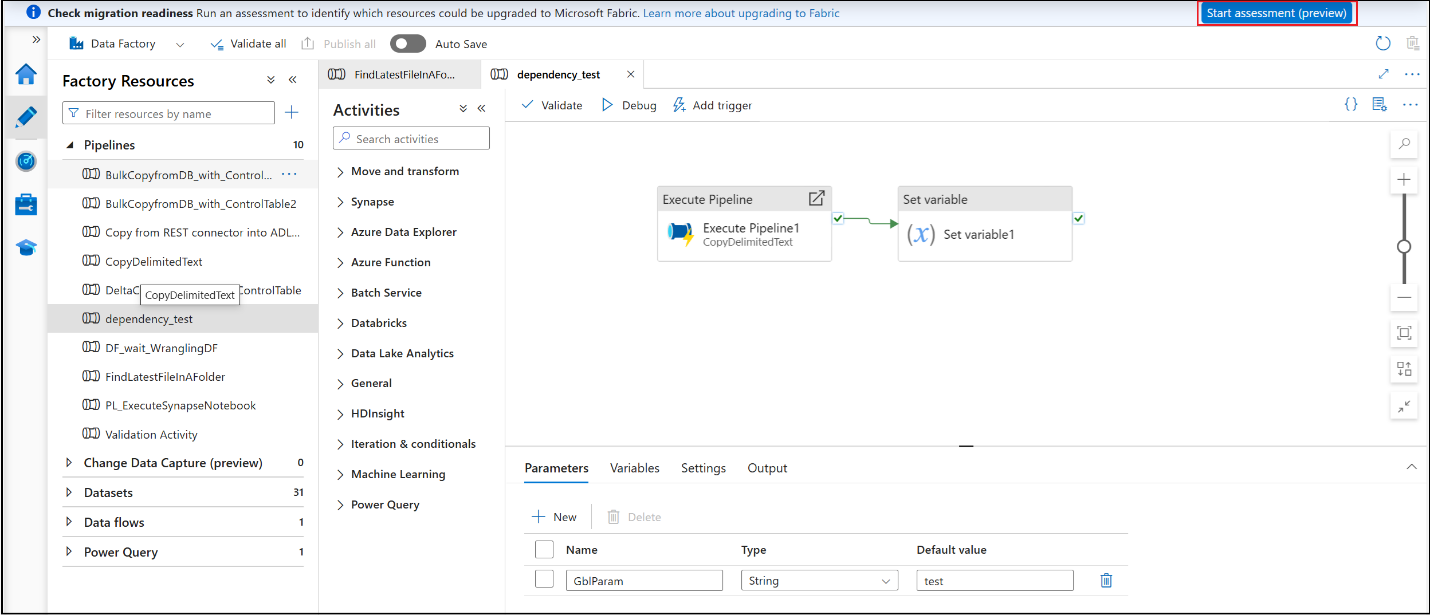
- Open your Azure Data Factory instance in the Azure portal.
- In the authoring canvas toolbar, select ‘Start assessment (preview)’.
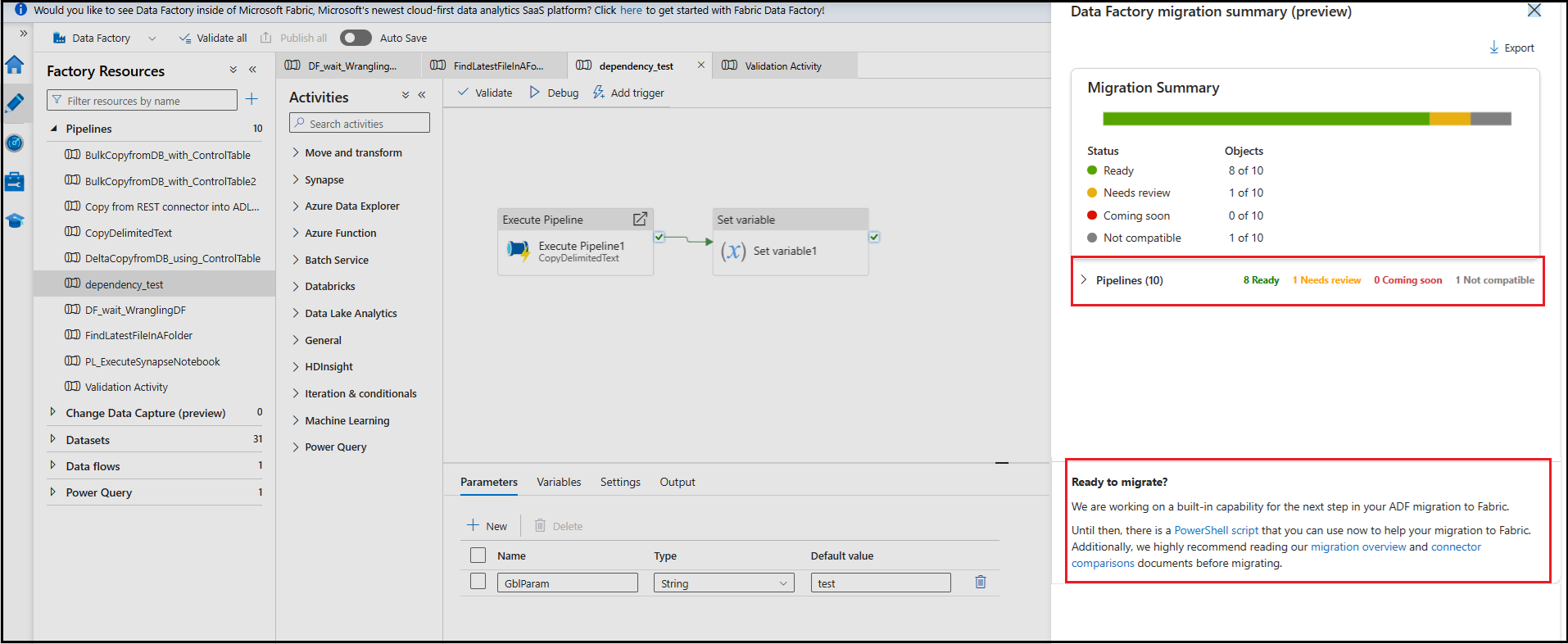
- Review the listed pipelines and their respective activities.
- Expand pipelines for more granular activity summaries.
- Export results as a CSV to aid detailed tracking and planning.
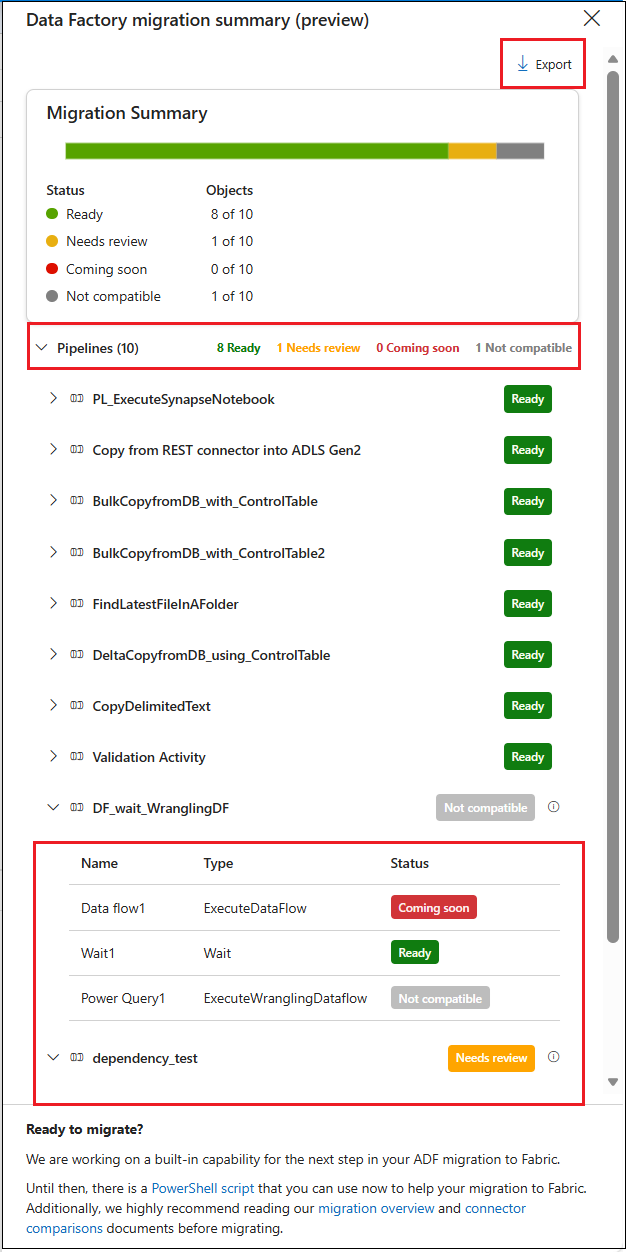
Understanding Assessment Results
Each pipeline and activity will be assigned one of these statuses:
- Ready: Fully migratable
- Needs review: Requires changes (such as parameter adjustments)
- Coming soon: Support is being developed; migrate in the future
- Not compatible: Needs refactoring; no equivalent in Fabric
A pipeline’s overall status is set to its most restrictive activity. For example, a “Not compatible” activity means the whole pipeline is marked “Not compatible” for readiness.
Migration Next Steps
While a fully native migration UX is in development, you can:
- Use the PowerShell upgrade tool for early migrations
- Plan fixes for anything marked “Needs review” or “Not compatible”
- Explore the Migration planning guide and best practices
- Monitor for expanded capability as Fabric Data Factory evolves
Further Resources
- How to assess your Azure Data Factory to Fabric Data Factory Migration
- Data Factory documentation in Microsoft Fabric
- Connector capability comparison between Azure Data Factory and Data Factory in Fabric
This post appeared first on “Microsoft Fabric Blog”. Read the entire article here