Run Notebooks in Pipelines with Service Principal or Workspace Identity
Microsoft Fabric Blog introduces secure authentication methods for running Notebook activities in Data Factory pipelines, focusing on Service Principal and Workspace Identity to help automate and secure production workflows.
Run Notebooks in Pipelines with Service Principal or Workspace Identity
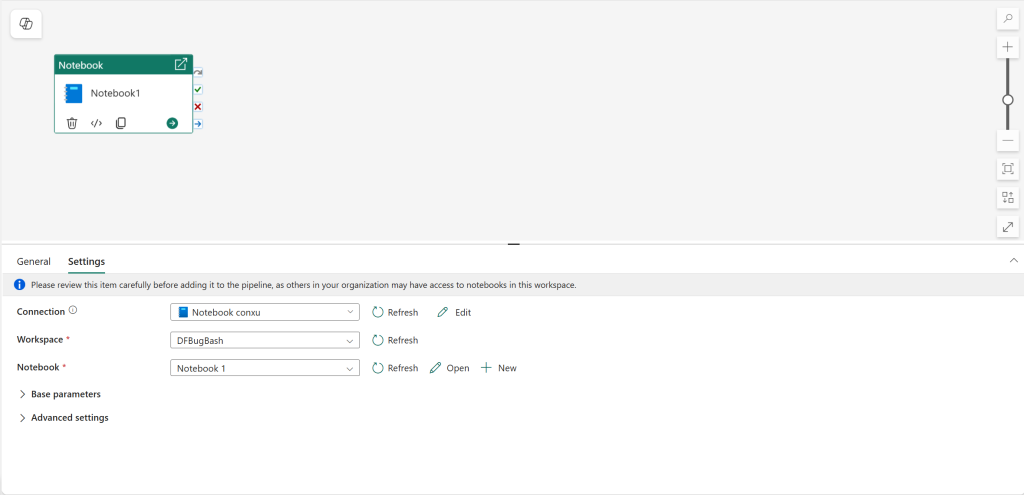
Microsoft Fabric Data Factory pipelines now support a connection property for Notebook activities, enabling more secure and reliable production workflows.
What’s New?
- New Authentication Options: Use Service Principal (SPN) or Workspace Identity (WI) to authenticate Notebook activities in pipelines.
- Production-Ready Approach: Recommended for production environments.
Key Benefits
- Operational Reliability: Eliminates issues associated with user credentials (e.g., password changes, user deactivation).
- Enterprise-Grade Security: Service-based authentication reduces security risks and simplifies compliance.
- Consistent Automation: Pipelines run without manual intervention, allowing resilient scheduling and orchestration.
Why it Matters
Previously, user authentication could cause broken workflows if users left the organization or tokens expired. The new connection property allows centralized identity management and scalable notebook execution in complex workflows. This ensures better governance and future-proof automation for data processing and machine learning workloads.
How to Get Started
- In your pipeline, add a Notebook activity.
- Under Connection, create or select a connection.
- Configure the necessary credentials or identity.
- Run your pipeline for secure, automated notebook execution.
For more details, see the documentation:
This update helps organizations improve security and automation in their ML and data engineering workflows while leveraging Azure-based identity solutions.
This post appeared first on “Microsoft Fabric Blog”. Read the entire article here